
Parts & Revisions
Track components, part numbers, and revision history. Manage your hardware inventory and link parts to individual test units in TofuPilot.
Overview
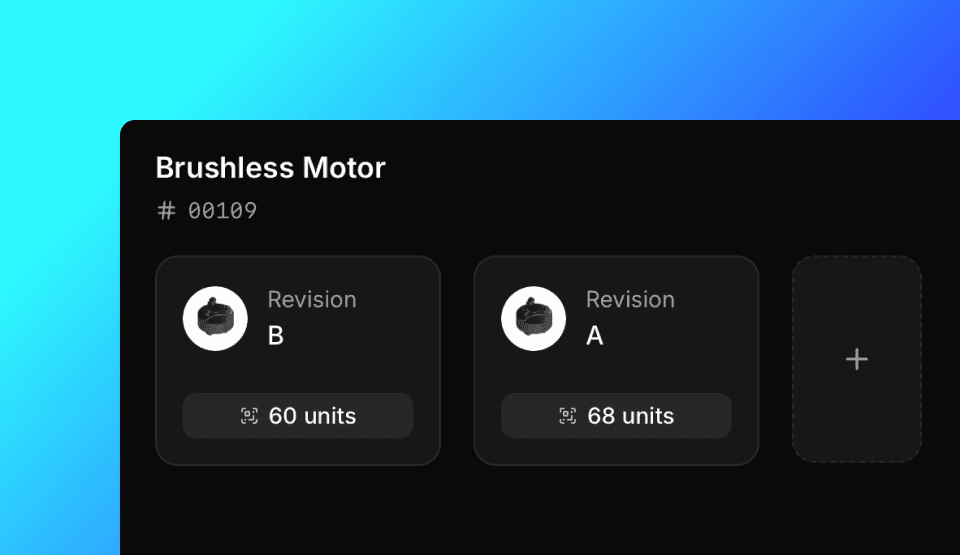
Inventory tracks Parts and their Units. A Part defines a component type with name, part number, and revision. Units are individual instances of a Part, each with a unique serial number.
Create Parts
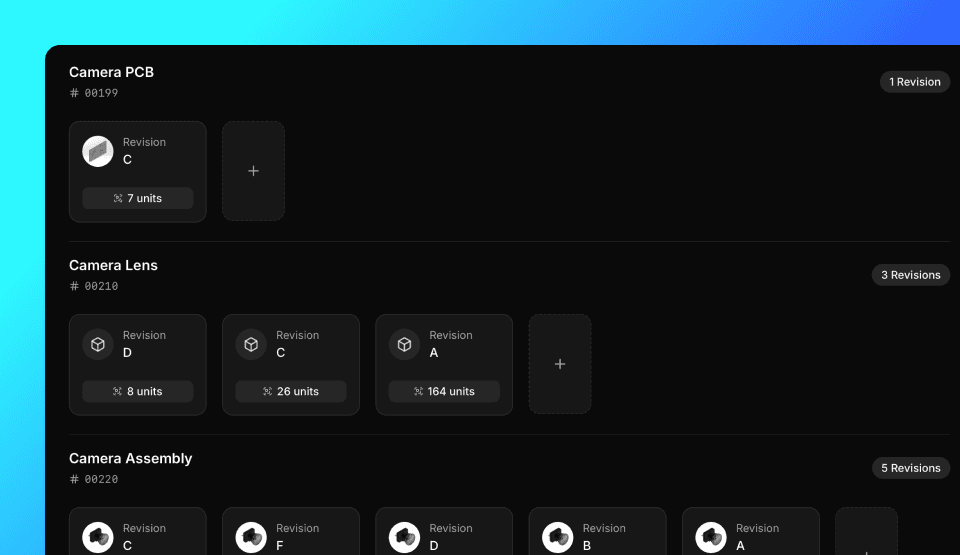
You can create parts from the Dashboard or with the API client. Parts are also created automatically when you upload a Run. Default revision is A.
from tofupilot.v2 import TofuPilot

client = TofuPilot()

# Create a part with default revision
part = client.parts.create(number="PCB-001", name="Main PCB")

# Create a part with a specific revision
part = client.parts.create(number="PCB-002", name="Sensor Board", revision_number="B")
using TofuPilot;
using TofuPilot.Models.Requests;
var client = new TofuPilot();
// Create a part with default revision
var part = await client.Parts.CreateAsync(new PartCreateRequest { Number = "PCB-001", Name = "Main PCB" });
// Create a part with a specific revision
var part2 = await client.Parts.CreateAsync(new PartCreateRequest { Number = "PCB-002", Name = "Sensor Board", RevisionNumber = "B" });#include <tofupilot/tofupilot.hpp>
auto client = tofupilot::TofuPilot("your-api-key");
auto part = client.parts().create()
.number("PCB-001")
.name("Main PCB")
.send();sdk = tofupilot.TofuPilot('your-api-key');
part = sdk.Parts.create(struct('number', 'PCB-001', 'name', 'Main PCB'));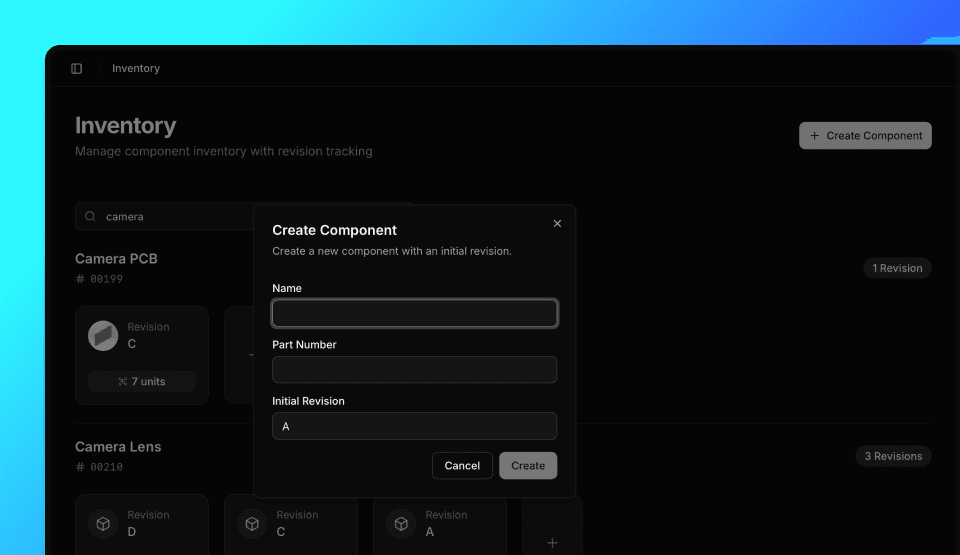
Revisions
You can add revisions to existing parts from the Dashboard or with the API client.
from tofupilot.v2 import TofuPilot

client = TofuPilot()

revision = client.parts.revisions.create(part_number="PCB-001", number="C")
using TofuPilot;
using TofuPilot.Models.Requests;
var client = new TofuPilot();
var revision = await client.Parts.Revisions.CreateAsync("PCB-001", new PartCreateRevisionRequestBody { Number = "C" });#include <tofupilot/tofupilot.hpp>
auto client = tofupilot::TofuPilot("your-api-key");
auto revision = client.revisions().create()
.part_number("PCB-001")
.number("C")
.send();sdk = tofupilot.TofuPilot('your-api-key');
sdk.Parts.Revisions.create('PCB-001', struct('number', 'C'));Browse & Filter Parts
You can browse and filter parts from the Dashboard or with the API client.
from tofupilot.v2 import TofuPilot

client = TofuPilot()

# List all parts
parts = client.parts.list()
for p in parts.data:
  print(f"{p.number}: {p.name}")

# Get a specific part by number
part = client.parts.get(number="PCB-001")
print(f"{part.number}: {part.name}")
using TofuPilot;
var client = new TofuPilot();
// List all parts
var parts = await client.Parts.ListAsync();
foreach (var p in parts.Data)
Console.WriteLine($"{p.Number}: {p.Name}");
// Get a specific part by number
var part = await client.Parts.GetAsync("PCB-001");
Console.WriteLine($"{part.Number}: {part.Name}");#include <tofupilot/tofupilot.hpp>
auto client = tofupilot::TofuPilot("your-api-key");
auto parts = client.parts().list().send();
auto part = client.parts().get()
.number("PCB-001")
.send();sdk = tofupilot.TofuPilot('your-api-key');
parts = sdk.Parts.list();
part = sdk.Parts.get('PCB-001');View Units by Part
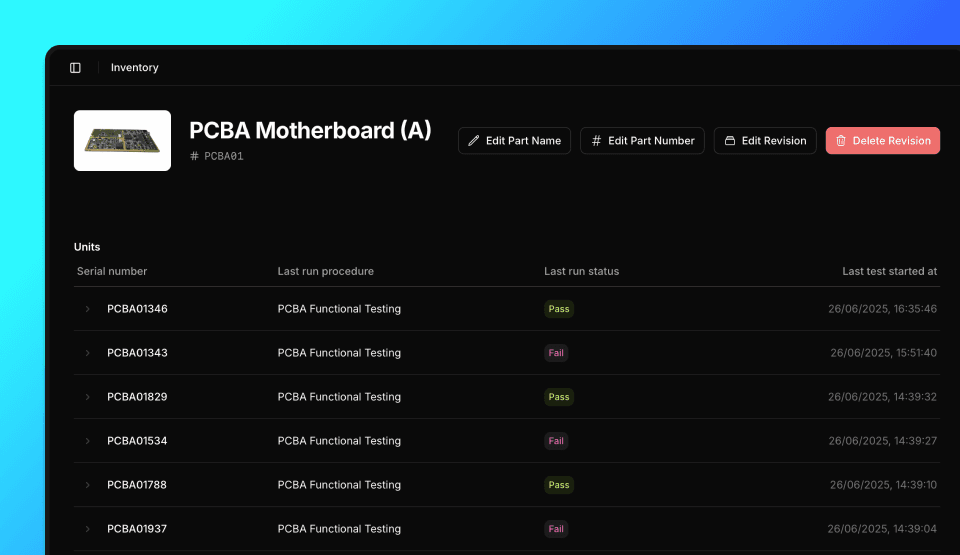
View all Units grouped by Part on the Inventory page. Each Part shows all its Units with their serial numbers and test history.
Update Parts
You can update part names and numbers from the Dashboard or with the API client.
from tofupilot.v2 import TofuPilot

client = TofuPilot()

client.parts.update(number="PCB-001", name="New Part Name")
using TofuPilot;
using TofuPilot.Models.Requests;
var client = new TofuPilot();
await client.Parts.UpdateAsync("PCB-001", new PartUpdateRequestBody { Name = "New Part Name" });#include <tofupilot/tofupilot.hpp>
auto client = tofupilot::TofuPilot("your-api-key");
client.parts().update()
.number("PCB-001")
.name("New Part Name")
.send();sdk = tofupilot.TofuPilot('your-api-key');
sdk.Parts.update('PCB-001', struct('name', 'New Part Name'));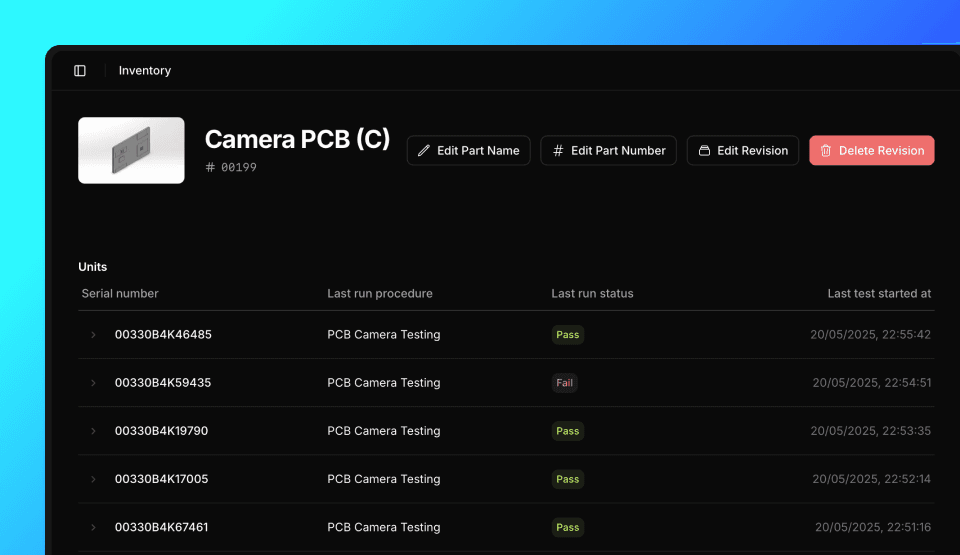
Delete Parts
You can delete parts from the Dashboard or with the API client. Deleting a part removes all its revisions and associated data.
from tofupilot.v2 import TofuPilot

client = TofuPilot()

client.parts.delete(number="PCB-001")
using TofuPilot;
var client = new TofuPilot();
await client.Parts.DeleteAsync("PCB-001");#include <tofupilot/tofupilot.hpp>
auto client = tofupilot::TofuPilot("your-api-key");
client.parts().delete_()
.number("PCB-001")
.send();sdk = tofupilot.TofuPilot('your-api-key');
sdk.Parts.delete('PCB-001');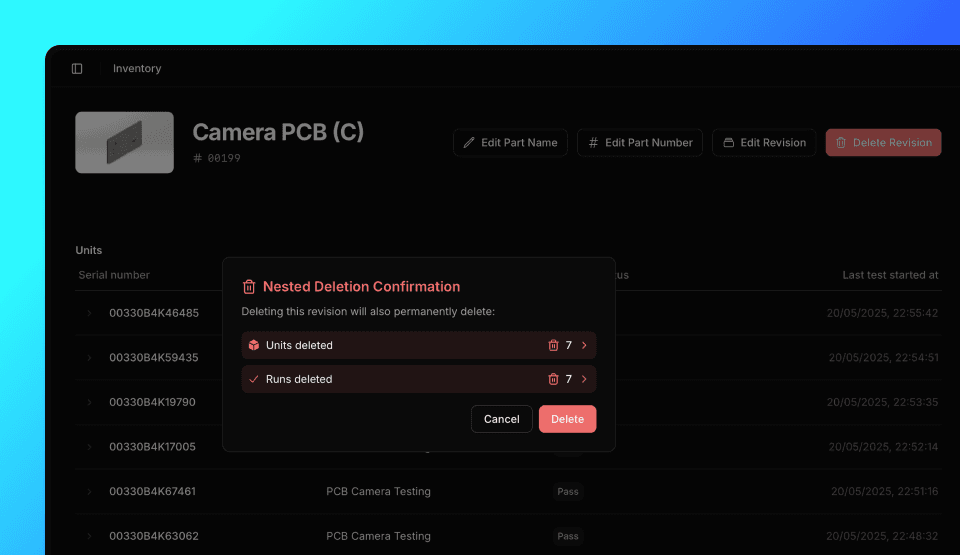
How is this guide?
Units
Track serial numbers, part numbers, and revision history for every unit under test. View full test history and traceability per unit in TofuPilot.
Workflows
Automate actions when events happen in TofuPilot. Send emails, call APIs, create Linear issues, and more — triggered by test runs, units, or schedules.