
API Keys
Create and manage API keys to authenticate test scripts uploading results to TofuPilot. Set permissions and rotate keys for security.
Overview
The TofuPilot platform is designed to receive test data directly from your test scripts or test stations. To authenticate API requests made from our API client or REST API, you need to use secure API keys.
Create API Keys
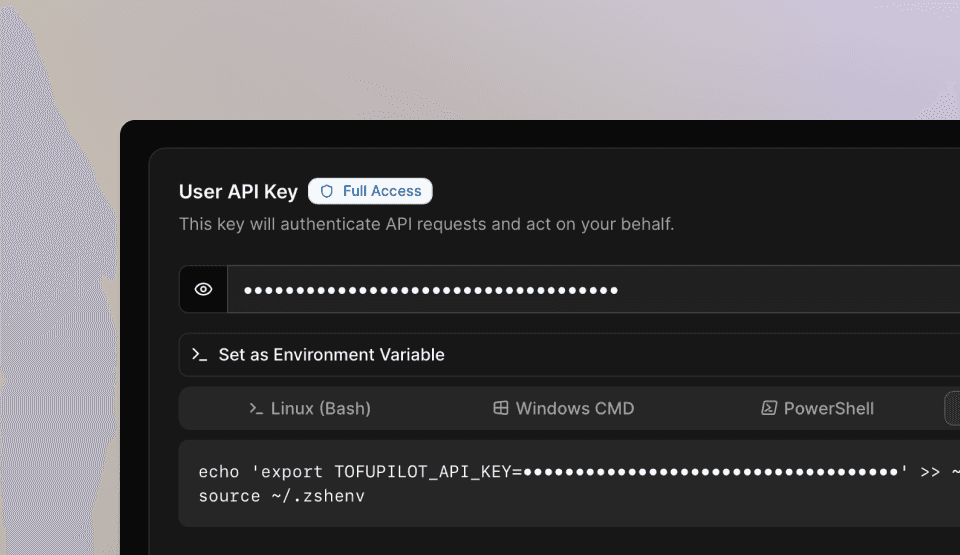
User API key
To create an API key linked to your user account, follow these steps:
Click the user menu at the bottom of the navigation bar and select Settings.
Go to the User API Key section on the Account page and click Generate API Key.
Copy your API key from the dialog.
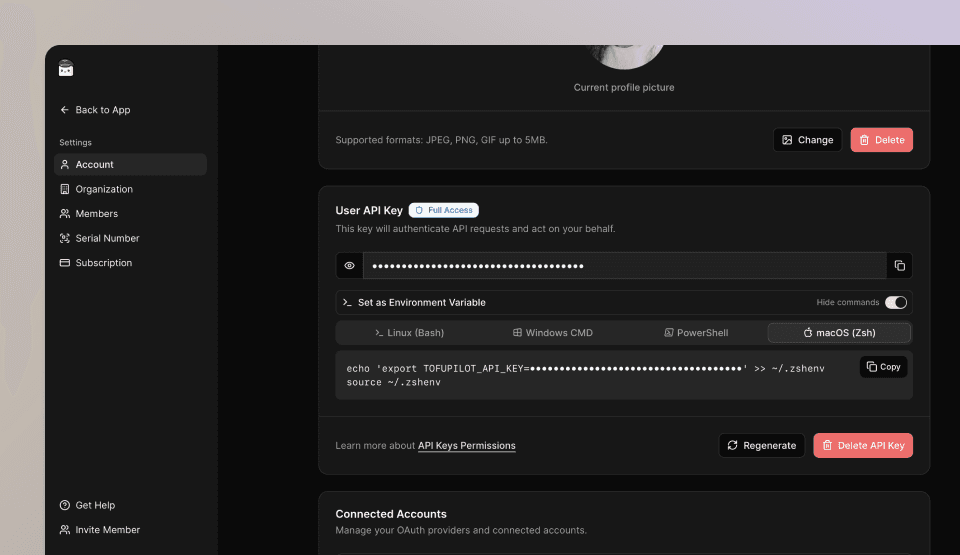
User API keys expire after 30 days and give you the same permissions as your account on the web app. They are ideal for developers during implementation, debugging, or script development.
Station API keys
You can generate an API key for each station in your test environment. These keys have limited permissions: they can only create test runs for procedures assigned to that specific station. Refer to the Stations page for more details.
To generate a station key:
Go to the Stations page in the Dashboard.
Create a new station or open an existing one.
In the API Key section of the station page, click Generate API Key.
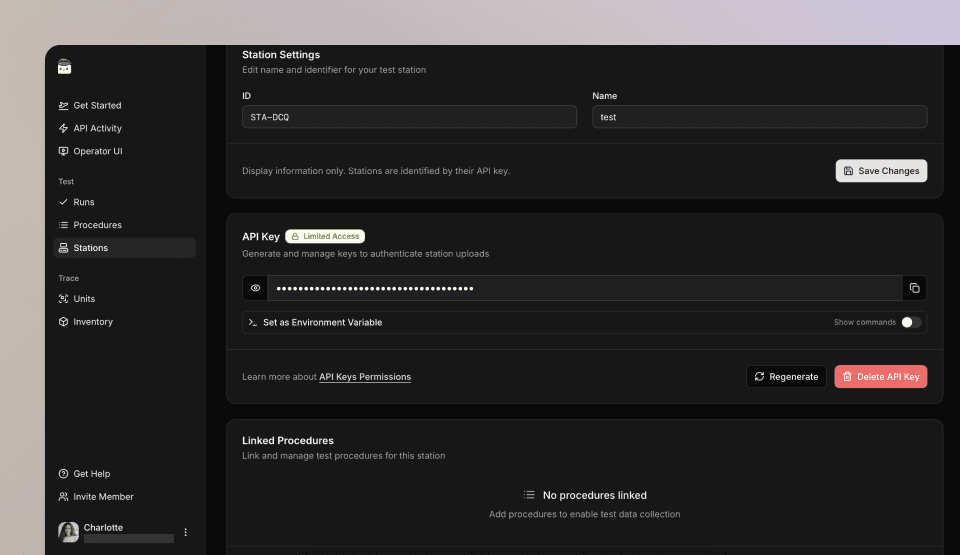
Station API keys have restricted permissions. They are designed for use in production environments, where access should be limited to specific stations. This ensures that only authorized stations can send test data, making it a secure option for your production line.
Use Your API Key
Once you have an API key, use it to authenticate the TofuPilot API client:
from tofupilot.v2 import TofuPilot

# Recommended: reads TOFUPILOT_API_KEY from environment
client = TofuPilot()

# Or pass the key directly
client = TofuPilot(api_key="your_api_key_here")
using TofuPilot;
// Recommended: reads TOFUPILOT_API_KEY from environment
var client = new TofuPilot();
// Or pass the key directly
var client = new TofuPilot(apiKey: "your_api_key_here");We recommend storing your API key in the TOFUPILOT_API_KEY environment variable. The client reads it automatically — no need to pass it in code.
Configure Environment Variables
We strongly recommend saving your API key to a local environment variable named TOFUPILOT_API_KEY.
This helps avoid accidental exposure through version control or log.
Open a terminal.
Copy and paste the following command for your environment:
echo "export TOFUPILOT_API_KEY=<your_key_here>" >> ~/.zshenv
source ~/.zshenv
setx TOFUPILOT_API_KEY "<your_key_here>"echo "export TOFUPILOT_API_KEY=<your_key_here>" >> ~/.bash_profile
source ~/.bash_profileOptionally, verify the environment variable with:
echo $TOFUPILOT_API_KEYecho %TOFUPILOT_API_KEY%echo $TOFUPILOT_API_KEYRegenerate API Keys
If you suspect your API key has been compromised, regenerate it immediately. Go to Settings > Account, locate the API Key section, and click Regenerate.
How is this guide?